MetaTrader 5 FAQ

Find direct answers to common MetaTrader 5 questions about downloading, installing, logging in, choosing a broker server, missing quotes, WebTerminal, mobile apps, Expert Advisors and platform risk.
Answers are written for real search intent: each question starts with the user problem, and each answer gives the direct conclusion first.
MetaTrader 5 provides the trading terminal and tools; broker accounts, symbols, spreads, leverage and execution conditions depend on the connected broker account.
Download and installation questions

Answers for users searching how to download, install or open MetaTrader 5 on desktop, web or mobile.

How do I download MetaTrader 5?
Use the download page to choose the terminal for your device: Windows, macOS, Linux setup guidance, WebTerminal, iOS or Android. The right choice depends on whether you need desktop analysis, browser access or mobile account monitoring.
Which MetaTrader 5 version should I install?
Install the desktop version if you need full charting, order windows, strategy testing or Expert Advisors. Use WebTerminal when you cannot install software. Use the mobile app for alerts, quotes, account checks and basic order handling.
Can I use MetaTrader 5 without downloading software?
Yes. WebTerminal runs in a browser and does not require a local desktop installer. It is useful for quick access, quote checks and basic account actions, but it does not replace every desktop feature such as strategy testing or Expert Advisor setup.
Why does the Linux option open a setup guide?
Linux installations depend on distribution, dependencies, permissions and runtime environment. A setup guide is usually more reliable than one universal installer because Linux systems are not configured the same way.
What should I do if the MetaTrader 5 installer is blocked?
First check the download source, file name, browser warning and operating system prompt. Do not run an installer from an untrusted source, shared device or unsafe network. Follow your device security policy before continuing.

Login, broker server and account questions

Answers for users searching why login fails, where to find the server name, or why market data is missing.

Do I need a broker account to use MetaTrader 5?
You need a broker account for real quotes, server access, trading permissions and order execution. The terminal can be installed without an account, but live market access depends on broker login details.
Where do I find my MetaTrader 5 server name?
The server name is normally provided by your broker in account emails, onboarding messages or the account dashboard. Use the exact server assigned to your account type, because similar server names may lead to failed login or missing symbols.
Why can’t I log in to MetaTrader 5?
Login usually fails because the server name, account number, password or account environment is wrong. Also check internet stability, firewall rules, system time and whether the account is still active with the broker.
Why are quotes or symbols missing after login?
Quotes or symbols may be missing because the wrong broker server is selected, the account has limited permissions, the symbol is hidden from Market Watch, or the broker does not offer that instrument on the current account type.
Why do different users see different symbols in MetaTrader 5?
Different users can see different symbols because market access, quotes, spreads, leverage and permissions depend on the broker server and account type. The terminal software may be the same, but account conditions are not always the same.

Terminal use, forex and trading workflow questions

Answers for users comparing desktop, WebTerminal, mobile apps, forex access and order workflows.

Can MetaTrader 5 be used for forex trading?
Yes. MetaTrader 5 can be used for forex trading when the connected broker account provides currency pairs. Available pairs, quotes, spreads, leverage, swap and execution rules depend on the broker account.
What is the difference between desktop and WebTerminal?
Desktop is better for longer sessions, chart-heavy work, strategy testing and Expert Advisor workflows. WebTerminal is better for browser access when installing software is not practical, but it is not a full replacement for desktop workflows.
Can the mobile app replace the desktop terminal?
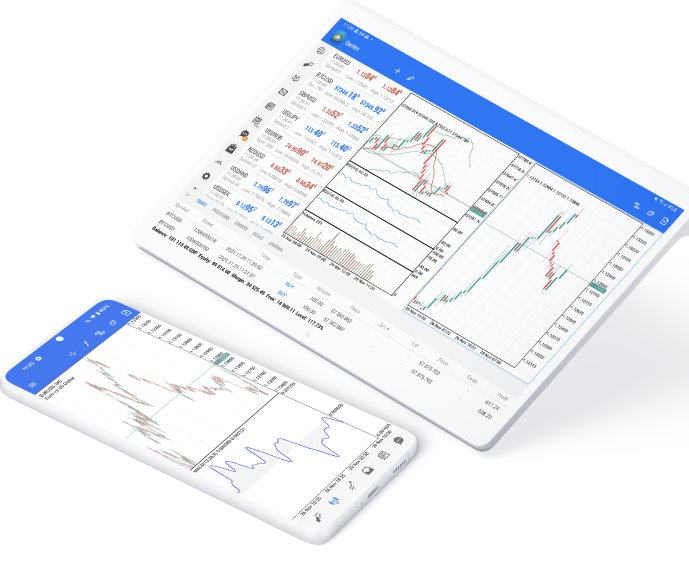
Not completely. The mobile app is useful for quotes, alerts, account checks and basic order handling. Desktop remains better for deeper chart analysis, strategy testing, Expert Advisor setup and long trading sessions.
What should I check before placing an order?
Check the symbol, order direction, volume, bid and ask prices, spread, stop loss, take profit, margin requirement, account balance and connection status before submitting an order.
Why is my order executed at a different price?
Order price can differ because of spread movement, market volatility, execution model, liquidity and slippage. The terminal sends the order request, but final execution conditions depend on the broker and market environment.
Related pages

Continue to download or platform details

Use the download page to choose a terminal, or read the About page for platform scope and account boundaries.